To access the GHG Protocol Baseline Report, select Volume from the top menu, then choose Baseline to reach the Baseline Overview. If your workspace already has an established baseline, you'll be directed to your baseline footprint report containing both a dashboard and comprehensive report.
By default, the system displays the PEF Production report, but you can switch to the GHG Protocol emissions tab to examine GHG Protocol baseline emissions.
Dashboard Overview

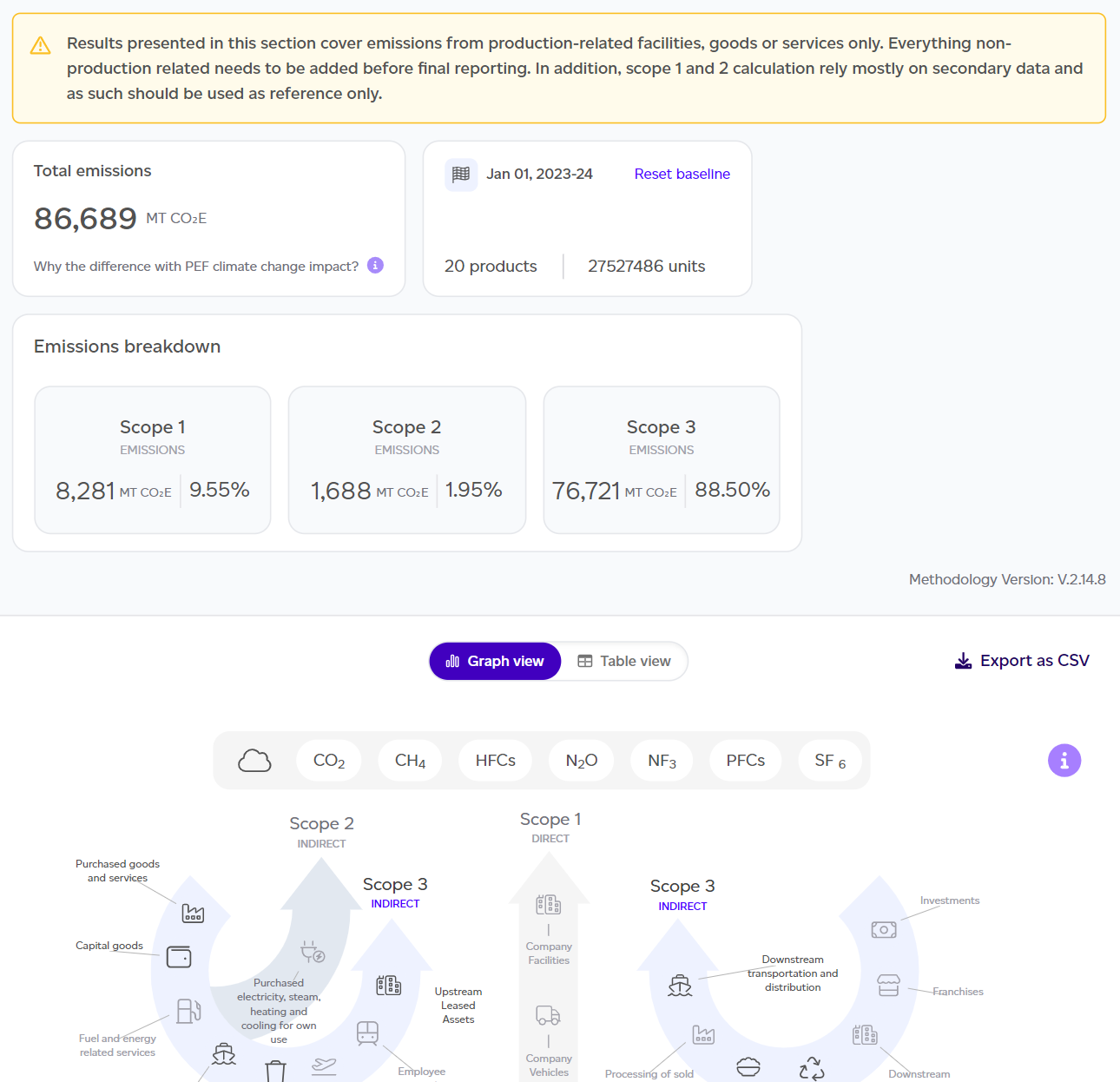
The dashboard provides key insights including:
- Total emissions across Scope 1, 2, and 3.
- Number of units produced and reference year.
- Scope 1/2/3 breakdown in kg CO2e and percentages.
- GHG Protocol graph showing scope category contributions.
You can toggle to table view to see biogenic emissions separately, detailed scope explanations, and optional reporting categories like individual emissions. Export data as CSV for further analysis using the export button in the top-right corner.
Important note: This report addresses product-related emissions only and is not intended as a full Scope 1, 2, and 3 assessment. Scope 1 and 2 calculations rely primarily on secondary data for reference purposes.
Full Report Access
Click 'See full report' to access the detailed GHG Baseline report, which mirrors the PEF Production Baseline Report structure but includes a Results section instead of LCIA, plus appendices covering Global Warming Potential Factors and Organisational Boundaries Assumptions.