Accessing the baseline calculation feature begins by selecting Volume from the top menu, then choosing Baseline. This redirects you to the Baseline Overview page. If a baseline has not yet been set for the active workspace, the only option available will be to calculate your baseline.
The baseline serves as your reference point for measuring sustainability progress throughout your reduction journey.
Initial Setup
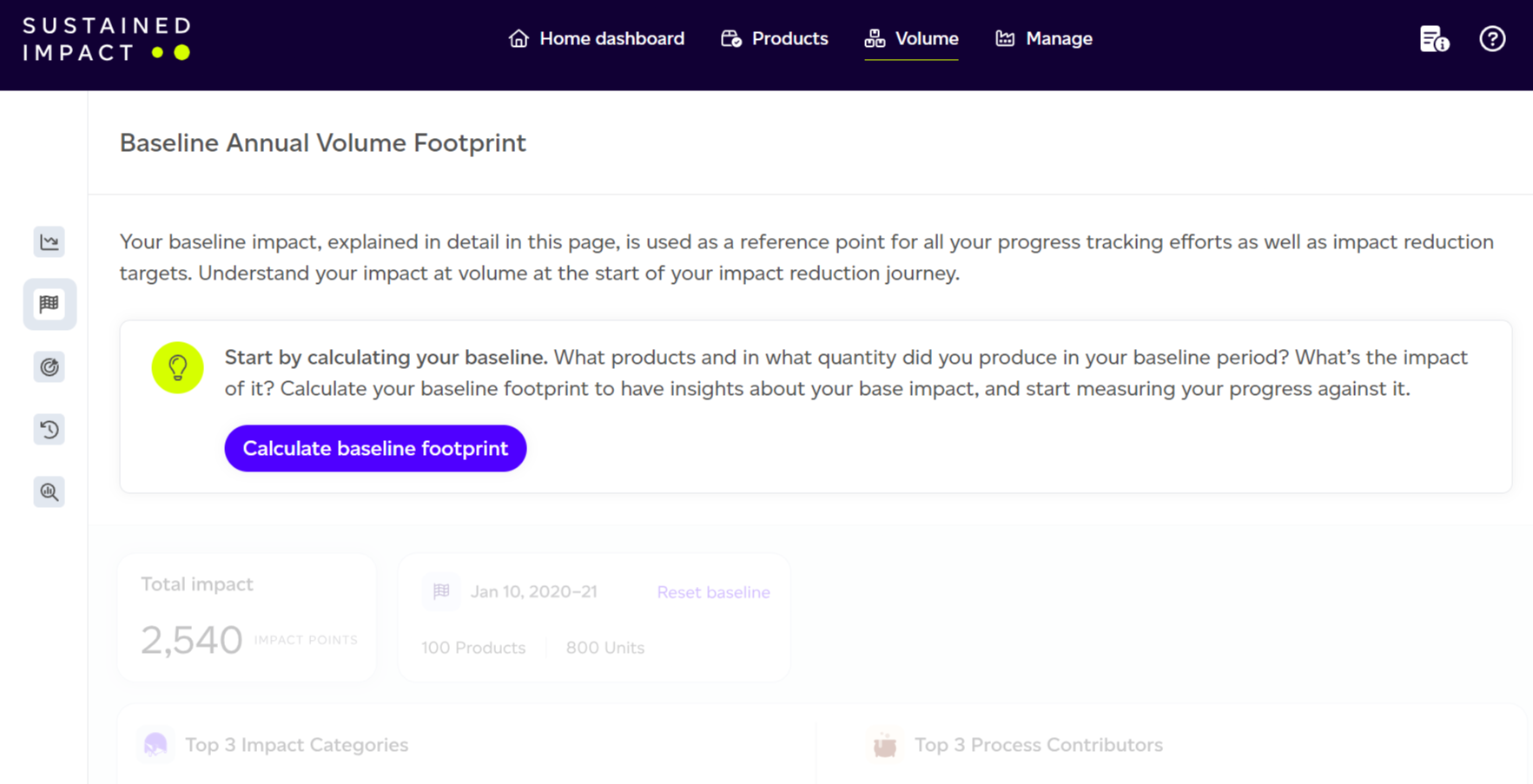
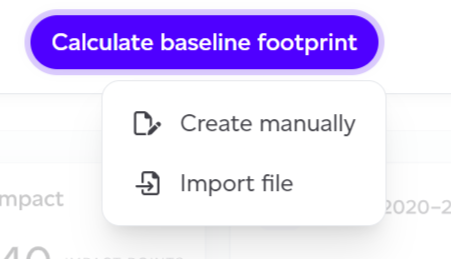
Click 'Calculate baseline footprint' to begin. You'll encounter two distinct methods for creating your baseline:
- Create manually: Input production units for each product directly in the interface.
- Upload a CSV file: Import production volumes using a CSV file.
Create Manually
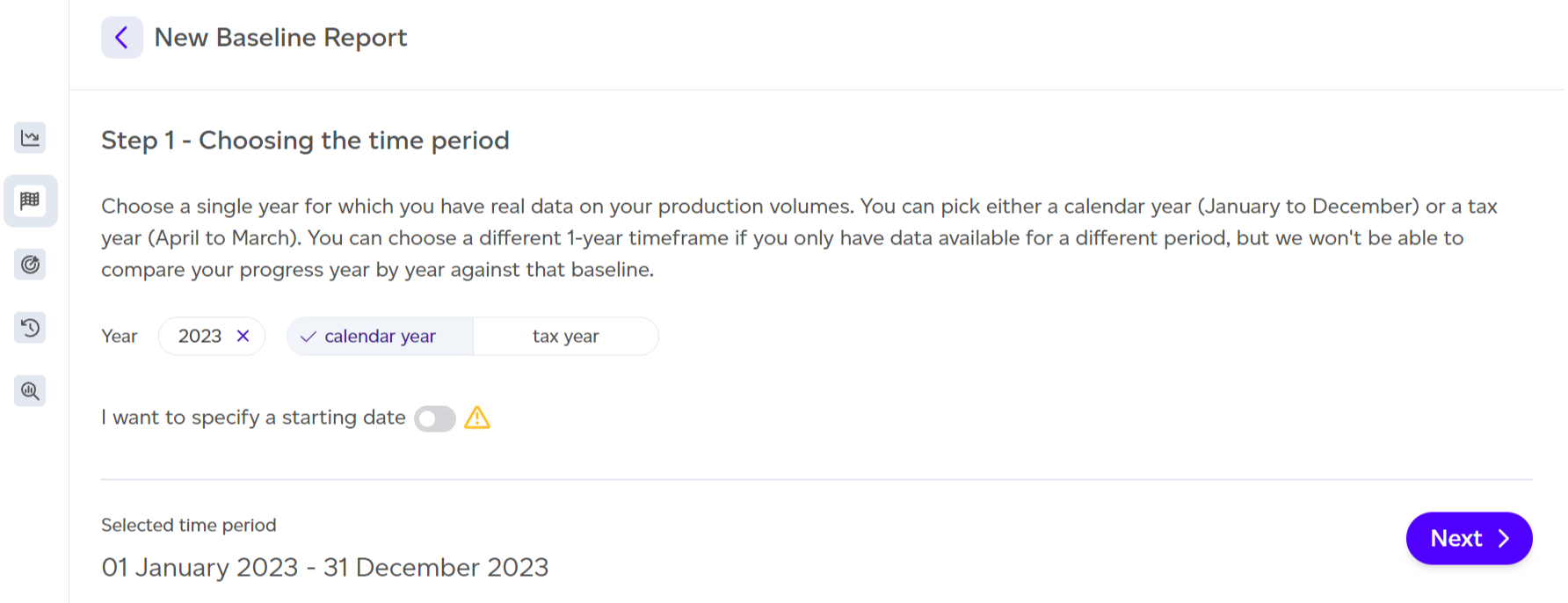
Selecting the Reference Period
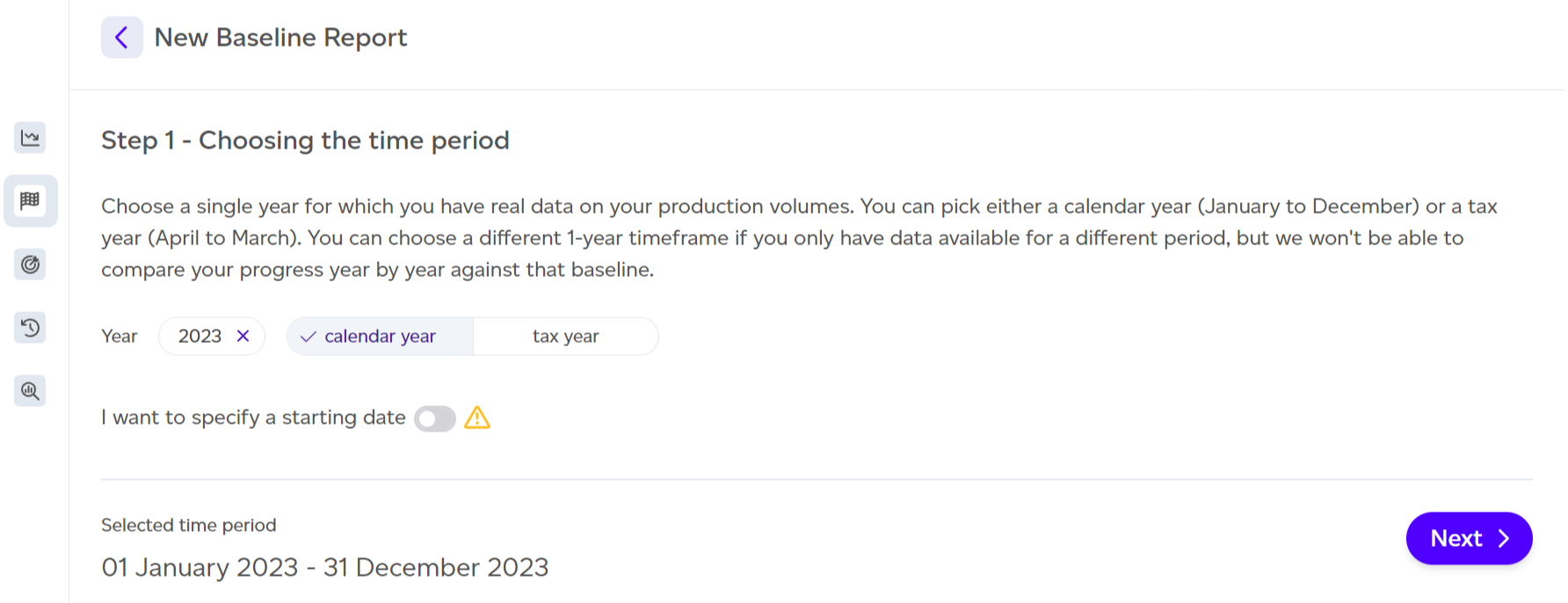
First, choose your reference year timeframe. A minimum of one year's worth of data is needed to set the baseline, ideally a full calendar year (January–December) or a tax year (April–April). If complete annual data is unavailable, toggle 'I want to specify a starting date' to define custom dates with the end automatically set one year later. By default, the previous full calendar year is selected.
Selecting Products
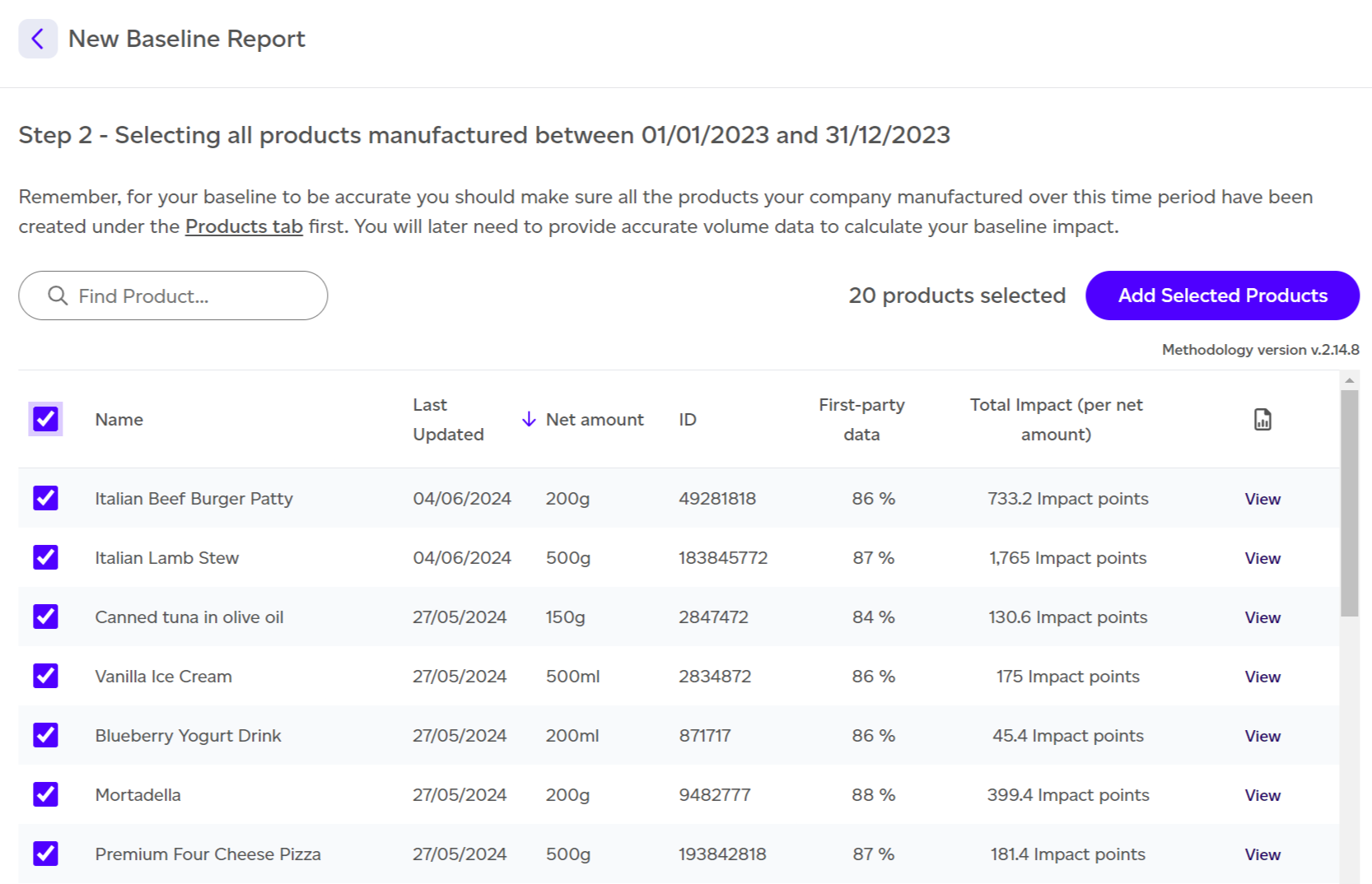
Only intermediate and final products will be available for selection to avoid double-counting, as internal products are considered inputs to other products.
At this stage, you can:
- Select products individually or use the checkbox to select all.
- View individual product reports via the 'View' button.
- Search for specific products by name.
- Sort by different column headers.
Click 'Add selected products' once your selection is complete.
Entering Manufacturing Quantities
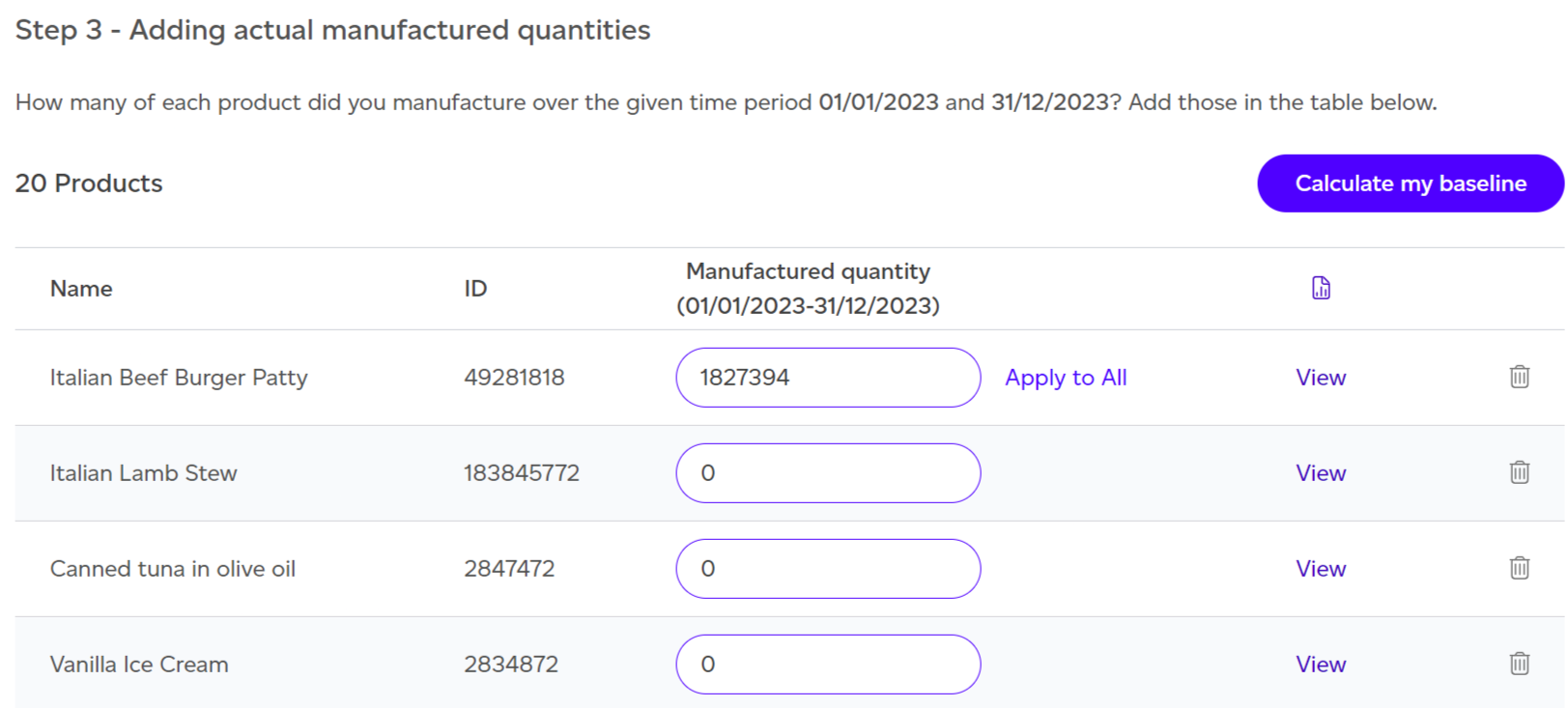
Input the number of units manufactured for each product during your reference year. The Apply to All button applies identical quantities across selected products, overwriting previous entries.
After entering all units, click 'Calculate my baseline' to generate your baseline footprint report.
Import File
File Requirements
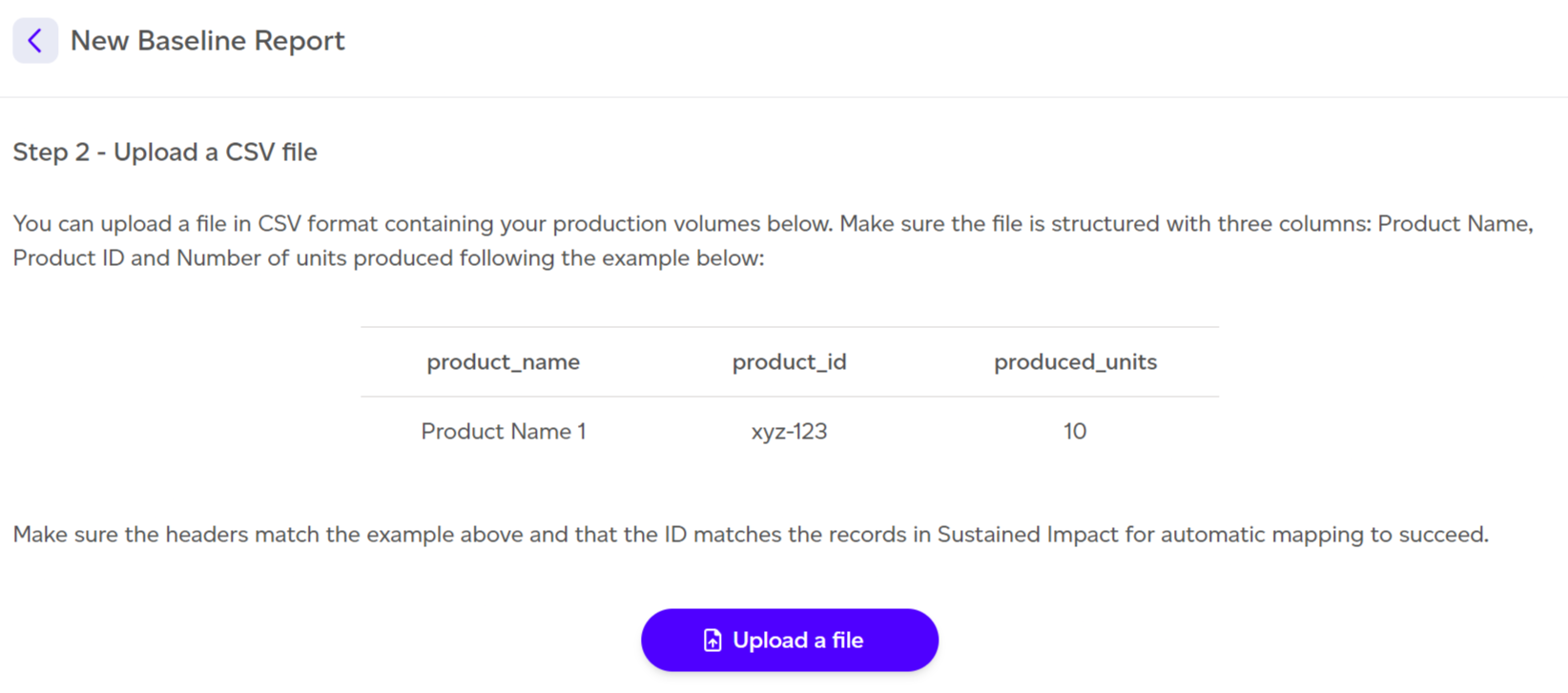
For CSV import, ensure:
- File format is .csv.
- Column headers match the provided example.
- Product IDs correspond with system records.
Processing the Upload
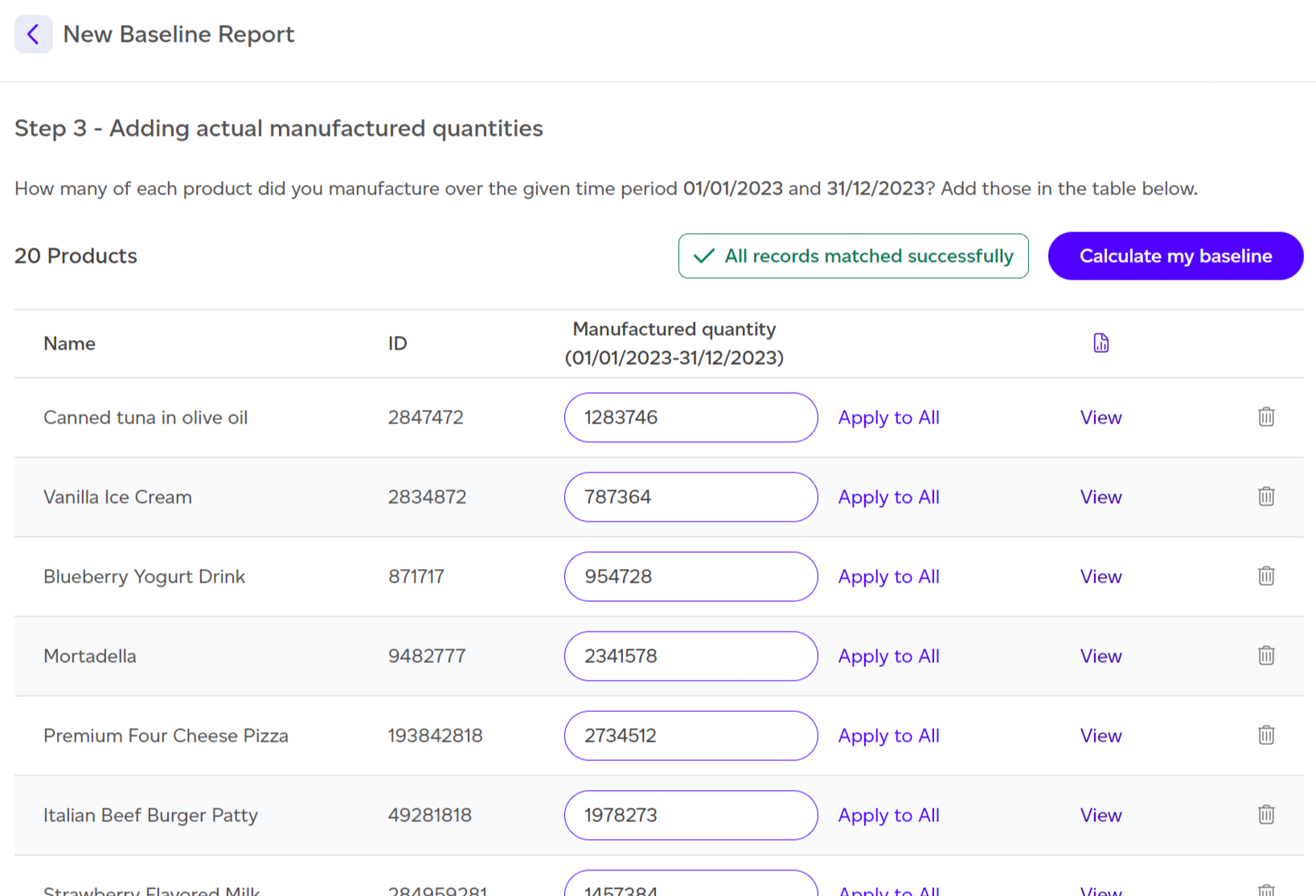
After uploading your file, click Next to proceed to Step 3. This page displays extracted data with a notification indicating whether all records matched successfully or if some require attention. You may ignore unmatched records or verify that IDs and names are correct.
Once data verification is complete, click 'Calculate my baseline' to generate your baseline footprint report.