To access a Change Modelling Report, expand the product row and click the report icon for your desired model. This directs you to a dashboard summarising key findings from the modelling analysis.
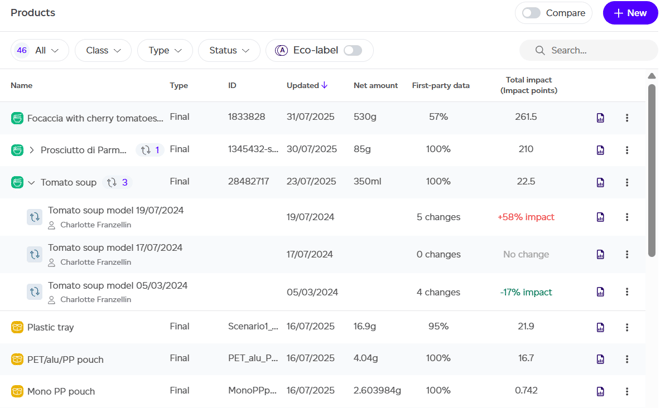
The report overview includes several sections:
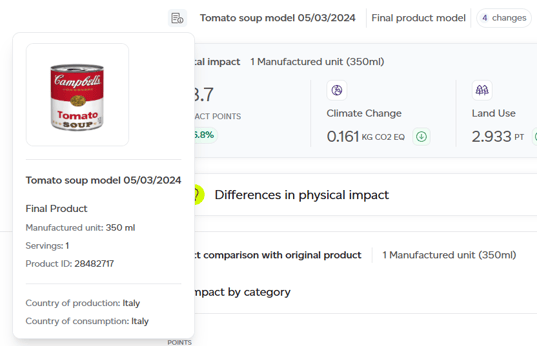
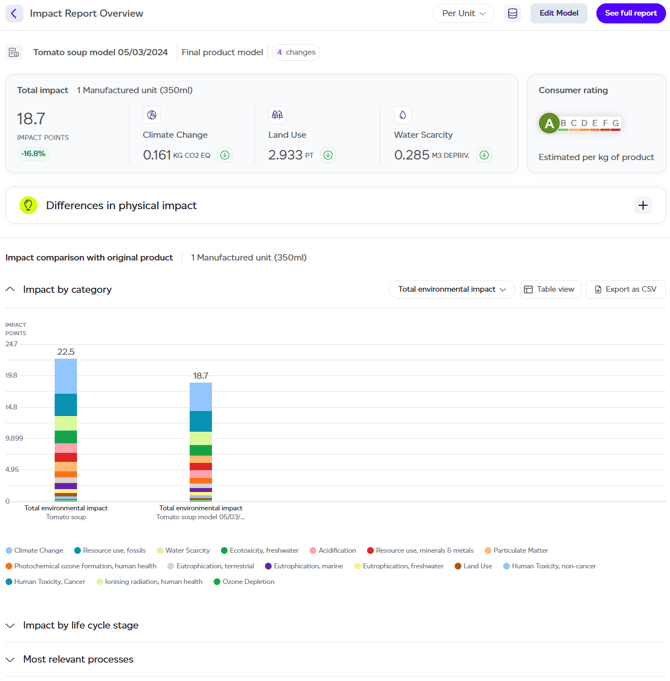
- Original Product Details: Reveals information about the initial product, including name, production country, consumption data, net amount, servings, and product image when available.
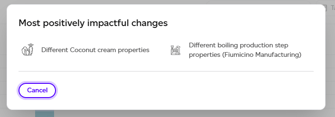
- Summary of Changes: Presents the most impactful modifications made in the model.
- Impact Change Overview: Shows the modelled product's total environmental impact alongside three key categories — climate change, land use, and water scarcity — indicating increases or decreases versus the original.
- Consumer Rating: Displays the modelled product's rating (A–G), with the original rating visible on hover.
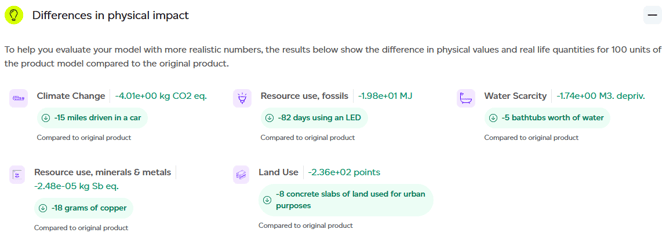
- Differences in physical impact: Expandable section showing the delta between original and modelled products in physical impact terms.
- Impact Analysis Results Summary: Comparisons organised by Impact Category, Life Cycle Stage, and Relevant Processes (original versus modelled).
Available Actions
From this page, you can:
- Change the lens: Switch from 'per unit of product' to per kilogram/litre or per serving for automatic rescaling.
- View datasets used: Access a list of all datasets used in impact calculations.
- Edit Model: Opens the modelling interface.
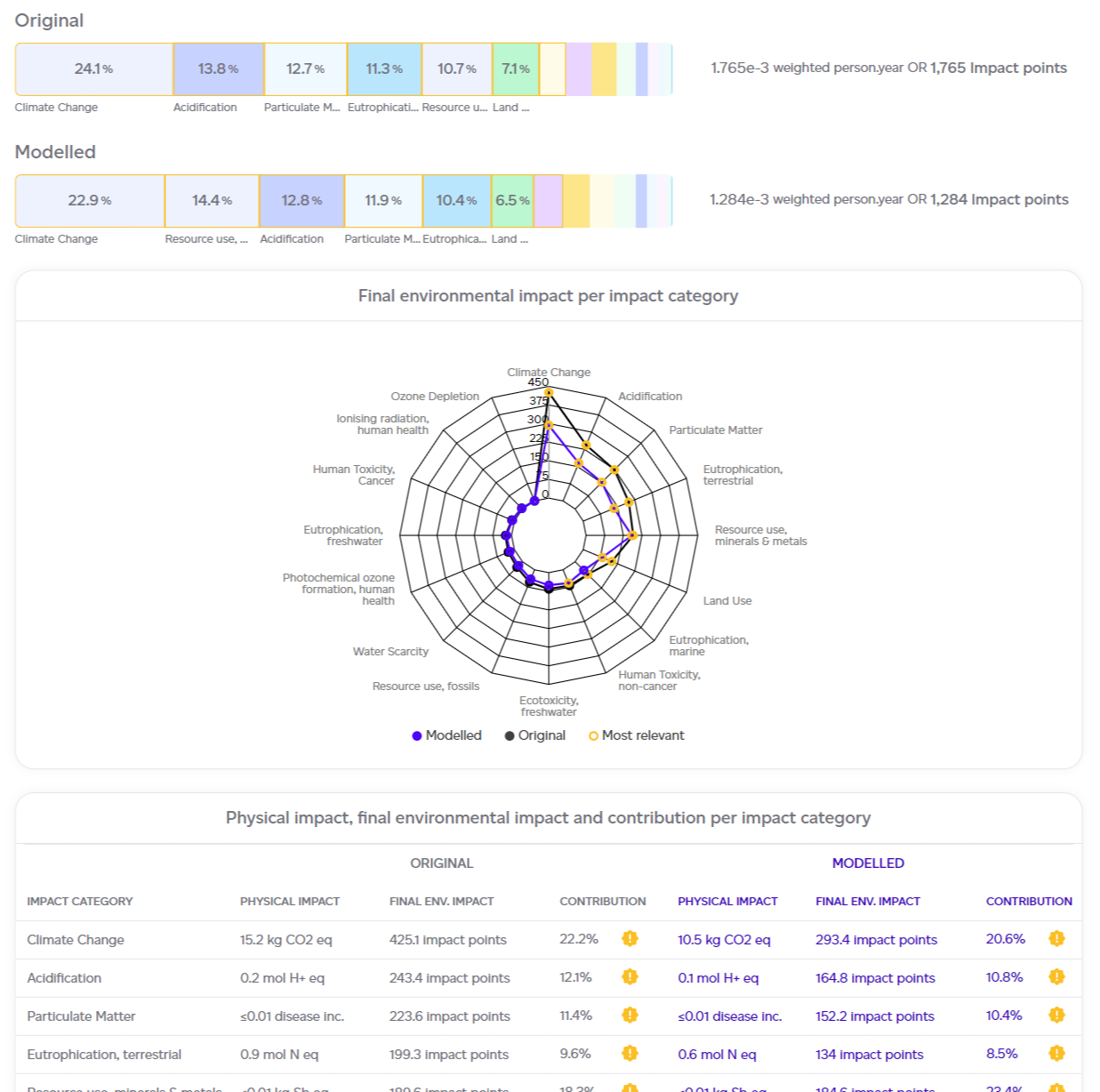
- See Full Report: Provides deeper comparison between original and modelled products, with interactive Impact Change Results by category.