The Sustained platform allows users to export concise one-page summary reports as PDFs for any product, whether final or intermediate. These reports serve as effective tools for communicating a product's environmental impact to stakeholders.
Export Process:
To initiate the export, navigate to your selected product's report overview. From there:
- Select the desired report type (either PEF or GHG Protocol).
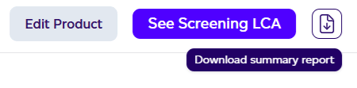
- Locate and click the download icon positioned on the right side.
- Upon hovering over the icon, the label 'Download summary report' will display.
- A file save dialog will appear within seconds.
- Choose your desired save location for the PDF.
- Once saved, the document is prepared for stakeholder distribution.
The interface provides straightforward visual cues to guide users through this workflow, making it accessible for those needing to share environmental impact data with external parties.