Navigate to your Products tab and locate the Compare button in the top right corner. You can easily compare up to 5 products side-by-side by toggling the Compare button.

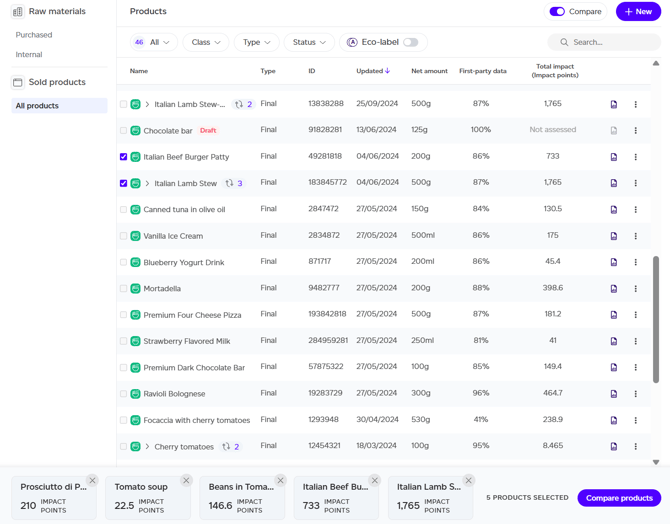
Once activated, products become selectable with a banner appearing at the screen's bottom. Important constraint: select up to 5 products of the same type (e.g., an intermediate product can only be compared to another intermediate product, a food product can only be compared with a food product).
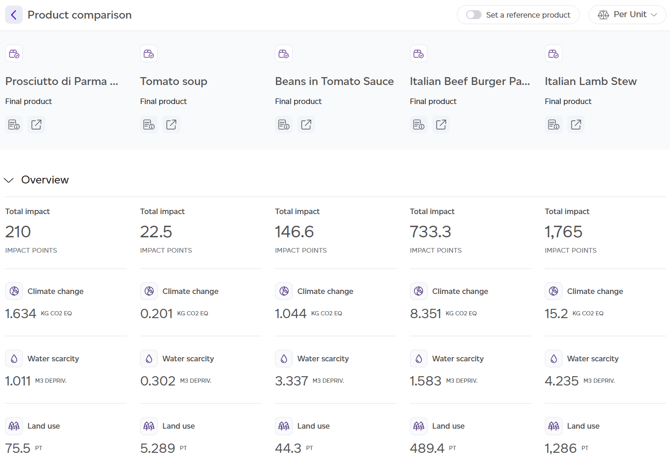
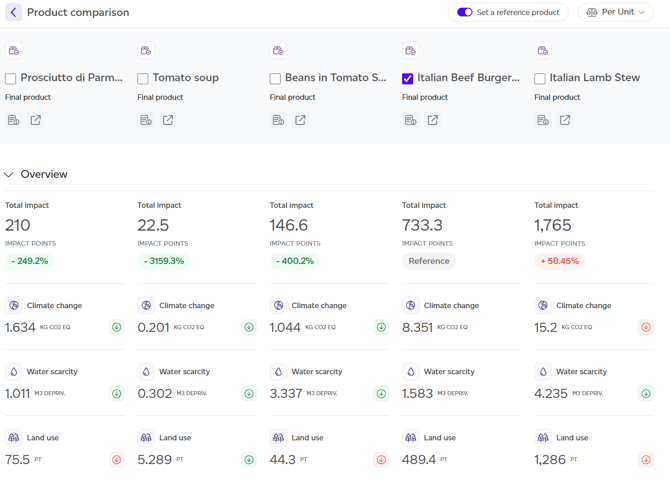
The system generates a side-by-side view displaying differences across total impact, consumer grade, and impact by category, lifecycle, and process.
Setting a Reference Product
Any selected product can be designated as the reference product via the top right corner. Once set, badges with positive or negative deltas will appear on the comparison view, to see how the other products fare compared to the reference product.
Viewing Options
Like product reports, comparisons support multiple viewing modes: per unit of product (default), per kilogram, or per serving (if available for all selected products).